
Free Maya Civilisation Activity Sheet | Year 4 Core | BookFlik
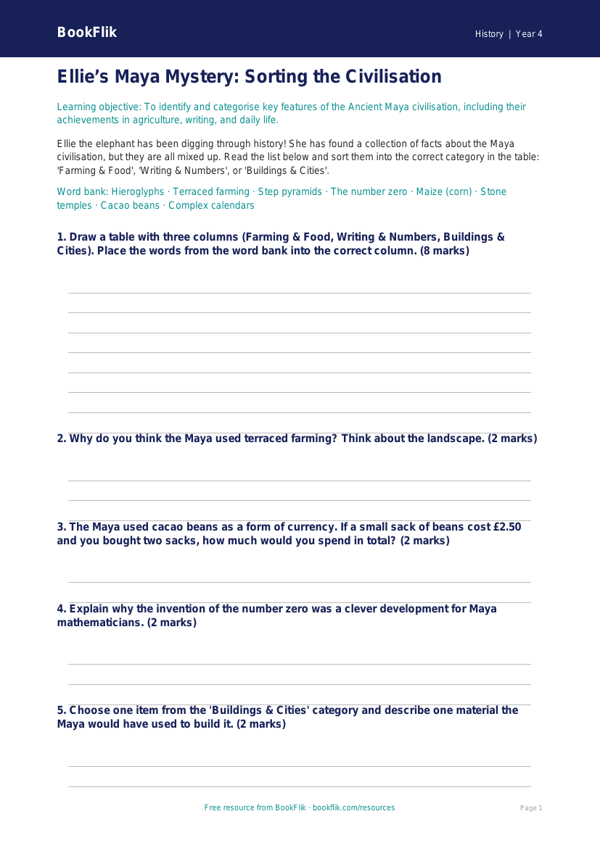
Bring the wonders of the ancient world into your classroom with our comprehensive History maya civilisation activity sheet year 4 core resource. Designed specifically for pupils at the expected standard, this engaging worksheet invites children to step back in time to explore the fascinating world of the Maya.
Through the eyes of our friendly character Ellie the elephant, who loves history and stories, students will investigate the key aspects of this ancient society. This History maya civilisation activity sheet year 4 core covers essential topics including the location of the Maya civilisation in Mesoamerica, their impressive architectural achievements like stepped pyramids, and their unique system of hieroglyphic writing. By using this History maya civilisation activity sheet year 4 core, students will develop their historical enquiry skills as they compare Maya life to their own, identify significant historical features, and sequence events on a timeline.
This resource is perfectly aligned with the UK National Curriculum for Year 4 History, which focuses on learning about a non-European society that provides contrast with British history. Teachers can use this activity as a standalone lesson, a homework task, or a starter activity to spark curiosity before a deeper dive into the unit. The content is crafted to be accessible and clear, ensuring that learners are supported while being appropriately challenged.
The activity sheet includes five to seven varied questions that range from factual recall—such as identifying what the Maya grew for food—to comprehension tasks that ask students to explain why the Maya built such tall temples. By downloading this History maya civilisation activity sheet year 4 core, you are providing your pupils with a structured and creative way to master the curriculum objectives. Download today to help your class uncover the mysteries of the Maya in a way that is fun, educational, and perfectly suited for Year 4 learners.
Preview the worksheet
If the preview does not load, open the PDF in a new tab.