
Free Algorithms Worksheet | Year 5 Core | BookFlik
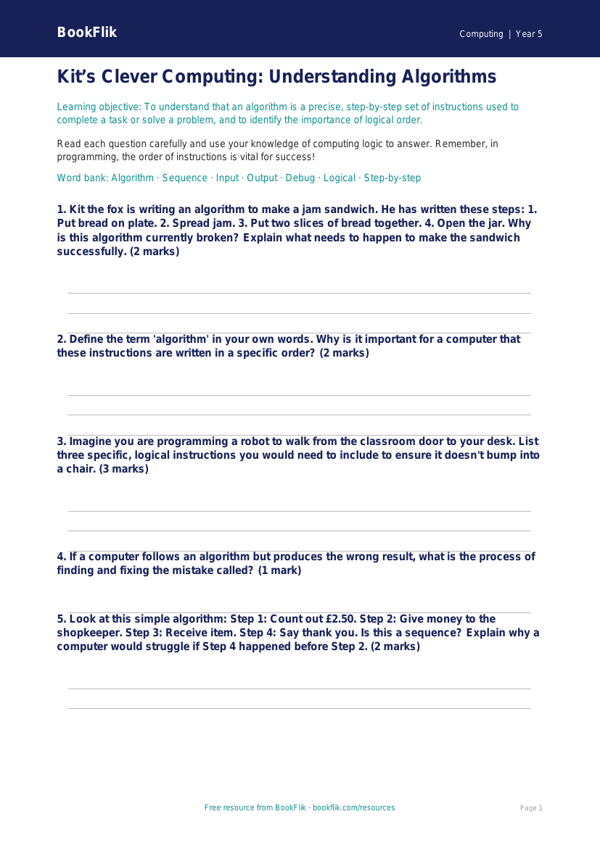
Boost your primary classroom’s digital literacy with our comprehensive Computing algorithms worksheet year 5 core. Designed specifically for Year 5 pupils, this resource provides a structured and engaging way for students to explore the fundamental principles of algorithmic design. As they work through the activities, children will learn how to break down complex tasks into smaller, manageable steps, understand the importance of logical sequencing, and identify how to debug common errors in a set of instructions.
Our Computing algorithms worksheet year 5 core aligns perfectly with the UK National Curriculum, which requires students to design, write, and debug programs that accomplish specific goals. By using this resource, teachers can help pupils develop the computational thinking skills necessary for successful coding. Whether you are introducing a new unit or reinforcing prior knowledge, this worksheet serves as an excellent independent task or a collaborative group challenge.
The content features our original character, Kit the fox, who loves solving puzzles. Kit guides the children through a series of logical challenges, encouraging them to think like computer programmers. This Computing algorithms worksheet year 5 core is set at the expected standard for Year 5, ensuring that the vocabulary and cognitive demand are perfectly matched to your learners. It includes five to seven questions that range from simple recall of key terminology to the application of logic in real-world scenarios, such as creating a precise set of instructions for a robot.
Teachers can easily print and distribute this resource as part of their weekly computing lesson. It is designed to be clear, concise, and academically rigorous, helping your class master the logic behind programming. Download this free, high-quality resource today to help your students build a strong foundation in computational thinking and problem-solving, setting them up for success in all their future digital projects.
Preview the worksheet
If the preview does not load, open the PDF in a new tab.