
Free Computing Debugging Assessment for Class 4 Students – BookFlik
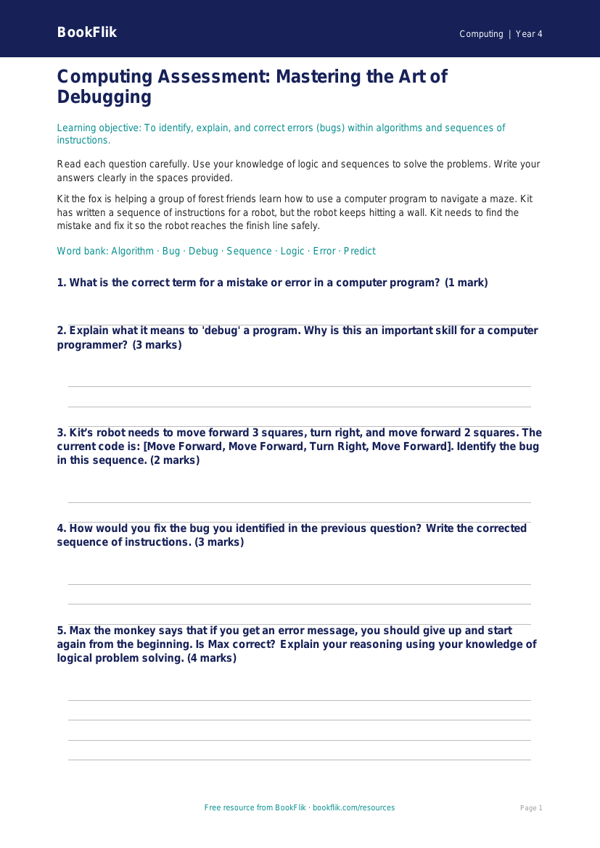
Boost your classroom confidence with our comprehensive Computing debugging assessment year 4 core resource. Designed specifically for teachers following the CBSE / NCERT Curriculum, this assessment helps children master the essential skill of identifying and correcting errors in algorithms and programs.
In this activity, students join Kit the fox, our clever computing expert, on a mission to fix a series of tangled instructions. By working through these logic puzzles, learners will develop their computational thinking and resilience. The resource focuses on spotting bugs in sequence, selection, and simple loops, ensuring students understand why their code might not be behaving as expected. As they work, children will learn to predict outcomes and systematically test their solutions, which is a vital part of the Computing debugging assessment year 4 core curriculum.
This resource is perfectly pitched for children working at the expected standard. It provides a clear structure that allows teachers to easily gauge student progress. You can use this material as a summative assessment at the end of a unit or as a formative check-in to see which pupils might need extra support with their logical reasoning. Each section is carefully crafted to be engaging, encouraging students to view mistakes as opportunities to learn rather than failures.
The Computing debugging assessment year 4 core pack includes a variety of question types, ranging from simple recall of technical vocabulary to practical application tasks where children must rewrite faulty instructions to reach a successful goal. By using these original materials, you can ensure your lessons remain fresh and focused on core computing concepts. Download this free resource today to help your Class 4 class become confident, independent programmers who can tackle any coding challenge with ease. It is the perfect tool for tracking attainment while keeping pupils motivated and curious about the digital world.
Preview the worksheet
If the preview does not load, open the PDF in a new tab.