
Free Instructions Worksheet | Nursery / LKG | English | BookFlik
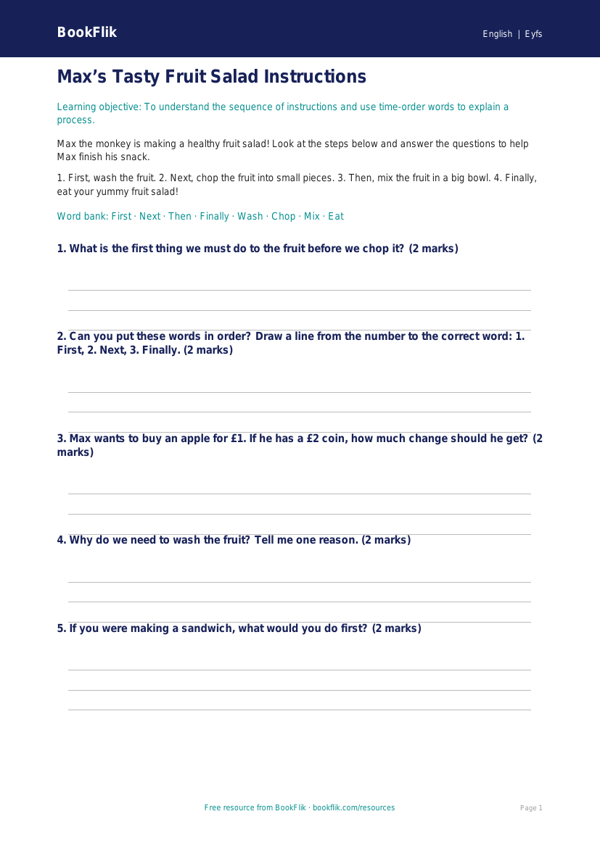
Boost your early years classroom with our engaging English instructions worksheet eyfs core resource. Designed specifically for children aged 3 to 5, this activity pack helps little learners master the fundamentals of instructional writing and sequencing. By following clear, step-by-step guides, children develop the essential literacy skills needed to understand the order of actions and the importance of chronological language.
In this activity, children join Max the monkey as he learns how to make a healthy fruit salad. Using simple, clear sentences and bright visual prompts, students will practise identifying imperative verbs and logical steps. This English instructions worksheet eyfs core is perfect for helping pupils grasp the structure of “bossy words” and sequential markers like first, next, and then.
Teachers can use this resource during whole-class carpet sessions to model how to write instructions, or as an independent task in a focused literacy rotation. The activities are perfectly aligned with the CBSE / NCERT Curriculum for Nursery / LKG, specifically supporting the Communication and Language and Literacy areas of learning. By using this English instructions worksheet eyfs core, educators can provide a scaffolded experience that encourages children to articulate their thoughts clearly while building confidence in their writing abilities.
We have designed this material specifically for learners working at the expected standard. The level of support provided ensures that children can transition from simply ordering pictures to writing short, simple sentences independently. Whether you are teaching a small group or providing one-to-one support, this resource offers a structured path to success.
Questions included in this pack:
1. What is the first thing Max needs to do?
2. Can you circle the ‘bossy’ action word in this sentence?
3. What happens if we do step three before step one?
4. Which fruit would you add to the bowl next?
5. Can you draw a picture to show the final result?
Preview the worksheet
If the preview does not load, open the PDF in a new tab.