
Free Cybersecurity Poster | Year 3 Core | BookFlik
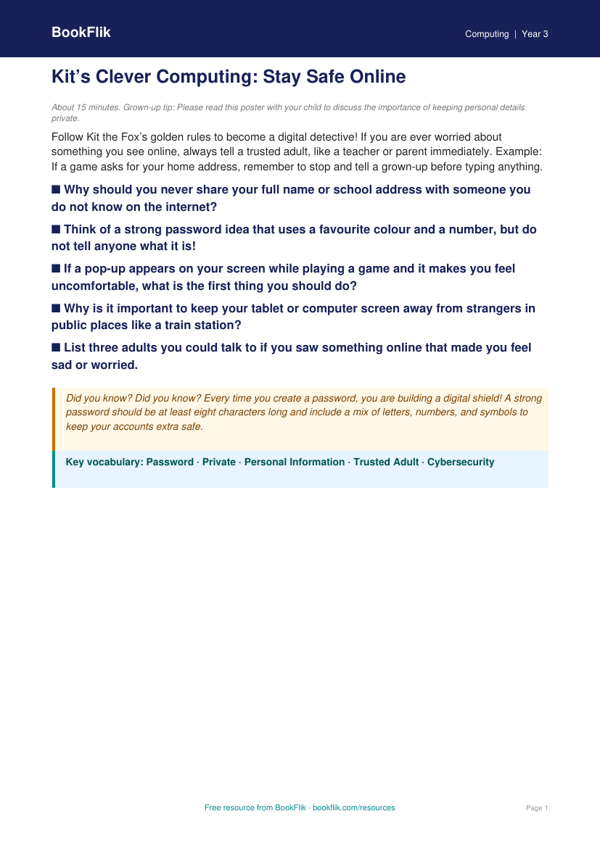
Boost your classroom digital safety lessons with our free Computing cybersecurity poster year 3 core resource. Designed specifically for Key Stage 2 pupils, this vibrant visual aid helps children understand how to stay safe and responsible while using the internet at home or at school.
In Year 3, pupils begin to explore how networks work and why protecting their personal information is essential. This Computing cybersecurity poster year 3 core explains key concepts such as creating strong passwords, identifying suspicious links, and the importance of speaking to a trusted adult if something online makes them feel worried or confused. Our friendly character, Kit the fox, guides children through these important steps with clear, simple instructions that are easy to remember.
Teachers can use this resource as a focal point for a Computing lesson on digital literacy, or display it in the computer suite to reinforce safe habits during every session. Parents will also find this Computing cybersecurity poster year 3 core a helpful tool for starting conversations about online safety at home. By using relatable examples, such as keeping game accounts private, the poster ensures that abstract security concepts become practical life skills for seven and eight-year-olds.
This resource aligns perfectly with the UK National Curriculum, which requires pupils to use technology safely, respectfully, and responsibly. It is pitched at the expected standard for Year 3, providing clear definitions and actionable advice. The content is carefully written to be accessible, using age-appropriate language and British English spelling throughout.
For learners who finish early or want an extra challenge, we have included an extension section on the poster. This encourages pupils to design their own secure password rules or brainstorm what makes a website look trustworthy. Download your copy today and help your class navigate the digital world with confidence, kindness, and clever, safe thinking.
How to use this poster
- Time: about 15 minutes
- At home: Please read this poster with your child to discuss the importance of keeping personal details private.
- In the classroom: Use this poster as a prompt for a class discussion about real-world scenarios regarding online safety.
Preview the worksheet
If the preview does not load, open the PDF in a new tab.