
Free Databases Quiz | Year 5 Core | BookFlik
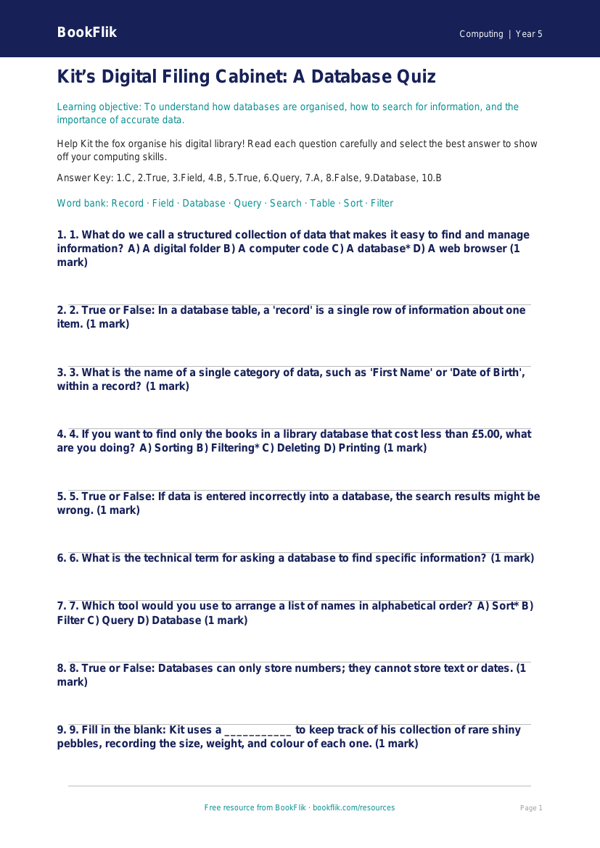
Boost your classroom computing lessons with our interactive Computing databases quiz year 5 core resource. Designed specifically for the UK National Curriculum, this engaging activity helps pupils master the fundamentals of data organisation, searching, and sorting. As children navigate the world of information, they will learn how to define a database, understand the importance of fields and records, and practise using search criteria to retrieve specific information efficiently.
Our Computing databases quiz year 5 core is perfect for teachers looking to assess prior knowledge at the start of a unit or to consolidate learning at the end of a lesson. With Kit the fox guiding the way, students will find the questions both challenging and fun. The content is pitched at the expected standard for Year 5, ensuring that learners are appropriately stretched while building confidence in their digital literacy skills.
Teachers can use this quiz as a quick whiteboard starter, an independent task on tablets, or even as a collaborative group activity. Because it is mapped directly to the UK National Curriculum, you can be confident that the terminology and concepts—such as identifying common attributes and creating logical queries—are exactly what your students need to know.
This Computing databases quiz year 5 core includes 5 to 7 questions ranging from simple recall of definitions to the application of logic in sorting data. By working through these problems, children will develop the computational thinking skills required to structure their own data sets in future projects. Whether you are teaching a dedicated computing block or integrating digital skills across the wider curriculum, this resource provides a reliable, high-quality assessment tool. Download it for free today to help your class become confident, organised, and savvy digital explorers who are ready to tackle any data challenge that comes their way.
Preview the worksheet
If the preview does not load, open the PDF in a new tab.