
Free E-Safety Quiz for Year 6 | Core Digital Literacy | BookFlik
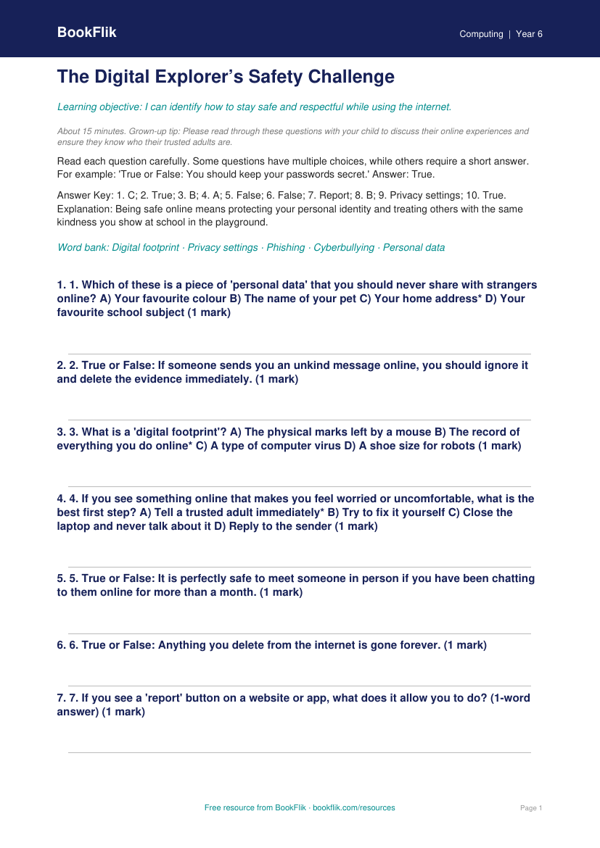
Looking for an engaging way to reinforce digital literacy in your classroom? Our Computing e safety quiz year 6 core resource is designed to help students navigate the digital world with confidence and critical thinking. As children in Year 6 spend more time online for research and communication, understanding how to stay safe is essential.
This quiz covers vital topics including recognising phishing attempts, understanding digital footprints, and knowing how to respond if they encounter unkind behaviour online. By using scenarios featuring our friendly character Kit the fox, students learn to identify potential risks in a supportive and relatable way. The Computing e safety quiz year 6 core is perfectly aligned with the UK National Curriculum, focusing on the responsible use of technology and the importance of privacy settings.
Teachers can use this resource as a quick starter activity or a plenary check to gauge understanding after a lesson on online relationships. Parents can also use it at home to open up a positive dialogue about screen time and staying safe on the internet. Because this is a Computing e safety quiz year 6 core resource, it meets the expected standard for Upper Key Stage 2, ensuring the language is age-appropriate and the reasoning tasks are sufficiently challenging.
Each question is carefully crafted to mirror real-world situations, such as managing passwords or identifying reliable websites. We have included a mix of multiple-choice and short-answer questions to test both recall and application of knowledge. For pupils who finish quickly, we have provided an extension task that encourages them to create their own top tips for staying safe online. Download this free tool today to help your class become responsible, savvy digital citizens who know how to protect their personal information while exploring the vast possibilities of the internet.
How to use this quiz
- Time: about 15 minutes
- At home: Please read through these questions with your child to discuss their online experiences and ensure they know who their trusted adults are.
- In the classroom: Use these questions to spark a class discussion about real-world scenarios children might encounter online.
Preview the worksheet
If the preview does not load, open the PDF in a new tab.