
Free Internet Safety Worksheet for Year 6 | BookFlik
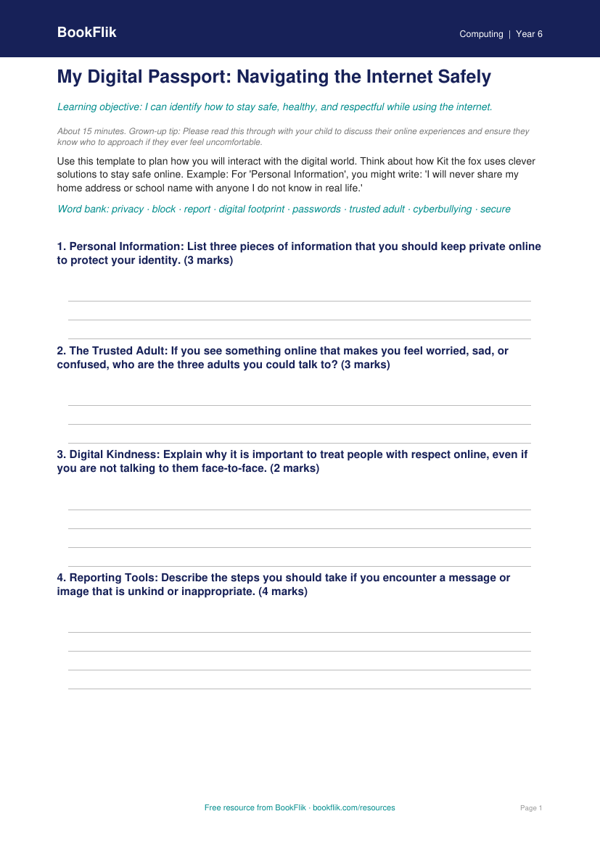
Our free Computing internet safety template year 6 core resource is designed to help pupils navigate the digital world with confidence and critical thinking. As children approach the transition to secondary school, understanding how to stay safe online is a vital part of their digital literacy. This resource aligns perfectly with the UK National Curriculum, focusing on identifying reliable sources, understanding digital footprints, and recognising the importance of privacy settings.
This Computing internet safety template year 6 core is ideal for classroom teachers looking for a structured lesson that encourages open discussions about online behaviour. Parents can also use these materials at home to spark meaningful conversations with their children about social media, gaming etiquette, and how to report concerns if something online makes them feel uncomfortable. By using relatable scenarios set in familiar UK settings, such as navigating a local school project or communicating with friends, the content feels relevant and engaging for 10 to 11-year-olds.
The lesson includes five to seven carefully crafted questions that challenge students to apply their knowledge. Learners will move from simple recall of safety rules to complex reasoning, such as explaining why personal information should remain private. Because this is a Computing internet safety template year 6 core resource, it is pitched precisely at the expected standard for Key Stage 2. It offers a balanced mix of academic rigour and accessible language, ensuring that all pupils can participate successfully.
Teachers will appreciate the clear structure, which saves preparation time while maintaining high educational standards. For fast finishers, we have included an extension activity that asks pupils to design their own digital safety poster or a set of community guidelines for an imaginary online club. Download this versatile pack today to support your students in becoming responsible, safe, and respectful digital citizens as they prepare for their next big adventure in secondary education.
How to use this template
- Time: about 15 minutes
- At home: Please read this through with your child to discuss their online experiences and ensure they know who to approach if they ever feel uncomfortable.
- In the classroom: Encourage pupils to share their ‘Trusted Adults’ list privately if they feel more comfortable doing so.
Preview the worksheet
If the preview does not load, open the PDF in a new tab.