
Free Scratch Worksheet | Year 3 Core | BookFlik
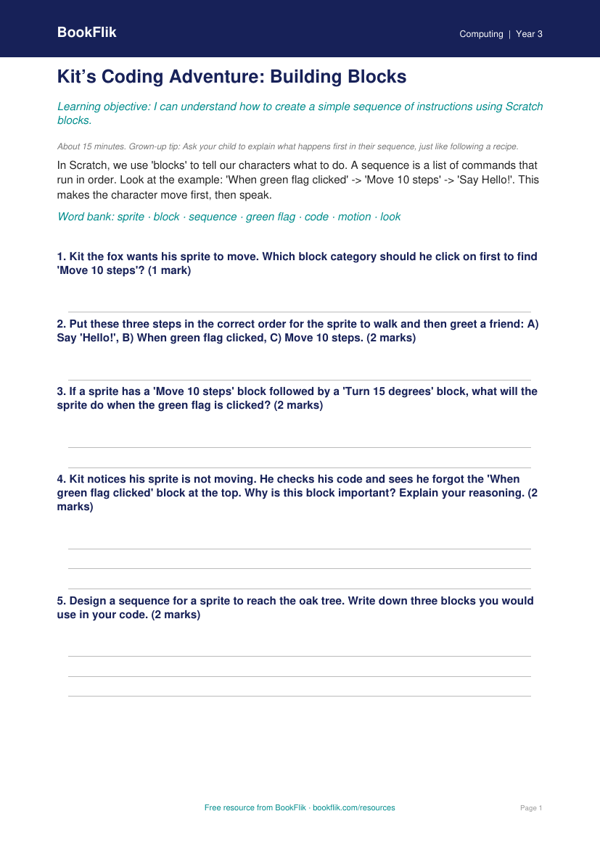
Boost your pupils’ coding confidence with our latest Computing scratch worksheet year 3 core resource. Designed specifically for the UK National Curriculum, this activity helps children master the basics of block-based programming in a fun and engaging way.
In this lesson, our clever friend Kit the fox guides learners through the digital world. By following clear, step-by-step instructions, children will learn how to create a simple animation featuring a sprite moving across the screen. This Computing scratch worksheet year 3 core focuses on key concepts such as sequencing, algorithms, and debugging. Pupils will experiment with motion blocks and event triggers, ensuring they understand how to give clear commands to their computer programmes.
This resource is perfect for classroom teachers delivering computing lessons or parents looking to support their child’s learning at home. We have ensured the language is accessible and the tasks are broken down into manageable chunks. Because this is a Computing scratch worksheet year 3 core level resource, it matches the expected standard for lower Key Stage 2. It encourages logical thinking and creativity, helping children build the foundations for more complex coding projects later in their school journey.
The pack includes five to seven carefully structured questions that test both recall and application. Children will need to predict what happens when specific blocks are joined together and fix small errors in a given code snippet. For fast finishers, we have included an extension task that challenges them to add a loop to their animation, making their sprite dance or spin.
Whether you are in a school in Manchester or learning from home in a quiet village, this worksheet makes computing feel like a puzzle waiting to be solved. Download this free resource today to help your Year 3 learners become confident, independent coders who can use technology safely and effectively.
How to use this worksheet
- Time: about 15 minutes
- At home: Ask your child to explain what happens first in their sequence, just like following a recipe.
- In the classroom: Remind pupils that the ‘When green flag clicked’ block acts as the ‘start’ button for their program.
Preview the worksheet
If the preview does not load, open the PDF in a new tab.