
Free Scratch Flashcards | Year 5 Greater Depth | BookFlik
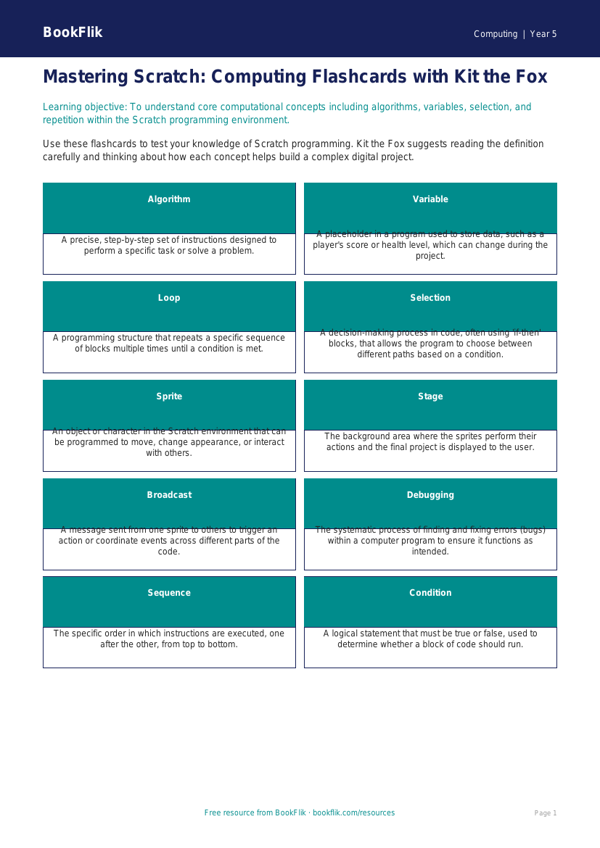
Unlock the potential of your young programmers with our comprehensive set of Computing scratch flashcards year 5 greater depth resources. Designed specifically for the UK National Curriculum, these flashcards go beyond basic block-based coding, pushing pupils to master complex computational concepts. Kit the fox, our resident coding expert, guides learners through advanced logic, including nested loops, variable manipulation, and event-driven broadcasting.
These Computing scratch flashcards year 5 greater depth are perfect for classroom rotations, independent extension tasks, or as high-level challenge prompts for pupils who have already grasped the fundamentals of sequencing. By focusing on algorithmic efficiency and debugging strategies, these cards encourage students to think like software engineers. Each card features a specific challenge that requires children to justify their choice of code, compare different logic paths, or predict the outcome of complex scripts.
Our Computing scratch flashcards year 5 greater depth are meticulously crafted to support the Year 5 Computing curriculum, ensuring that gifted and talented learners remain engaged while exploring the nuances of sequence, selection, and repetition. Teachers can easily integrate these into existing lesson plans to provide immediate differentiation, ensuring every child is appropriately challenged.
The resource includes 8 high-order thinking tasks, such as:
1. Explain why a variable is necessary for keeping a high score in a game.
2. Compare and contrast the use of a ‘forever’ loop versus a ‘repeat until’ loop in a maze game.
3. Justify your answer: Why is it important to use clear naming conventions for your sprites and variables?
4. What might happen if you use a ‘broadcast’ block incorrectly in a multi-level project?
5. Design a script that uses an ‘if-then-else’ statement to change a sprite’s appearance based on user input.
6. Create an extension task where you must debug a provided, intentionally broken script.
Download these original resources today to foster resilience, logical reasoning, and creative problem-solving in your budding computer scientists.
Preview the worksheet
If the preview does not load, open the PDF in a new tab.