
Free Scratch Worksheet | Year 6 Core | BookFlik
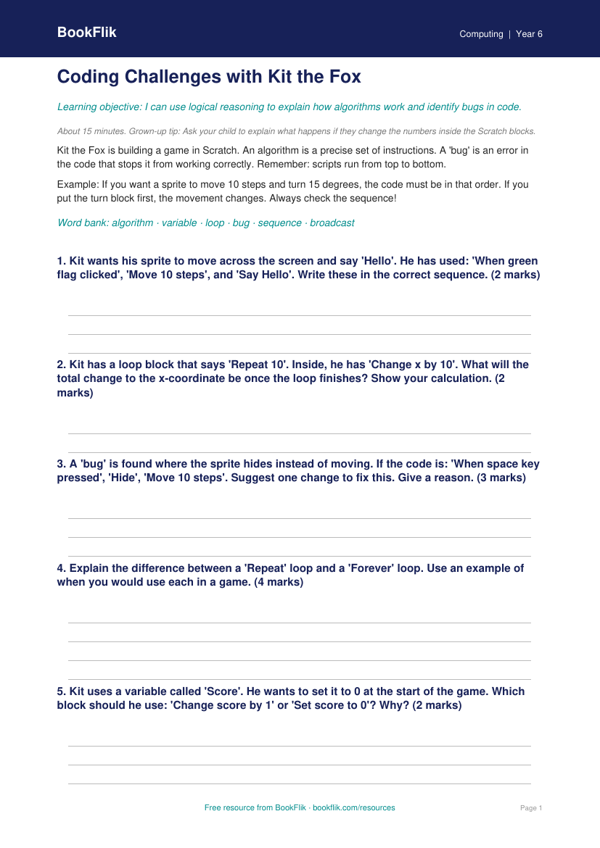
Mastering digital creativity has never been more engaging with our new Computing scratch worksheet year 6 core resource. Designed specifically for the UK National Curriculum, this activity invites pupils to build their own interactive projects using block-based coding. As children progress through the tasks, they will develop a solid understanding of variables, selection, and repetition, ensuring they meet the expected standards for upper Key Stage 2.
In this lesson, pupils will join Kit the fox on a coding adventure. Kit needs help creating a programme that tracks a score during a game. By following the clear, step-by-step instructions, children learn how to initialise variables and use conditional statements to trigger specific actions. This Computing scratch worksheet year 6 core is perfect for classroom computing lessons or as an enriching home learning activity. Teachers and parents will find the layout intuitive, featuring helpful tips on debugging and logical sequencing to support learners as they refine their digital projects.
The material is carefully aligned with the UK computing programme of study, focusing on using sequence, selection, and repetition in programmes. Because this is a Computing scratch worksheet year 6 core resource, it balances technical terminology with accessible language, ensuring that all pupils can grasp complex concepts like loops and broadcast events. The activities encourage computational thinking, helping children break down problems into smaller, manageable steps.
For those who finish early, we have included an extension task that challenges pupils to add a timer or a random element to their code, pushing their skills further. Whether you are teaching in a bustling London primary school or supporting a child at home, this resource provides a structured way to build confidence in programming. Download this free, high-quality sheet today to help your Year 6 learners become proficient, creative coders who are ready for the challenges of secondary school computing.
How to use this worksheet
- Time: about 15 minutes
- At home: Ask your child to explain what happens if they change the numbers inside the Scratch blocks.
- In the classroom: Encourage pupils to act out their algorithms physically to spot logical errors before coding on screen.
Preview the worksheet
If the preview does not load, open the PDF in a new tab.