
Free Spreadsheets Quiz | Year 4 Core | BookFlik
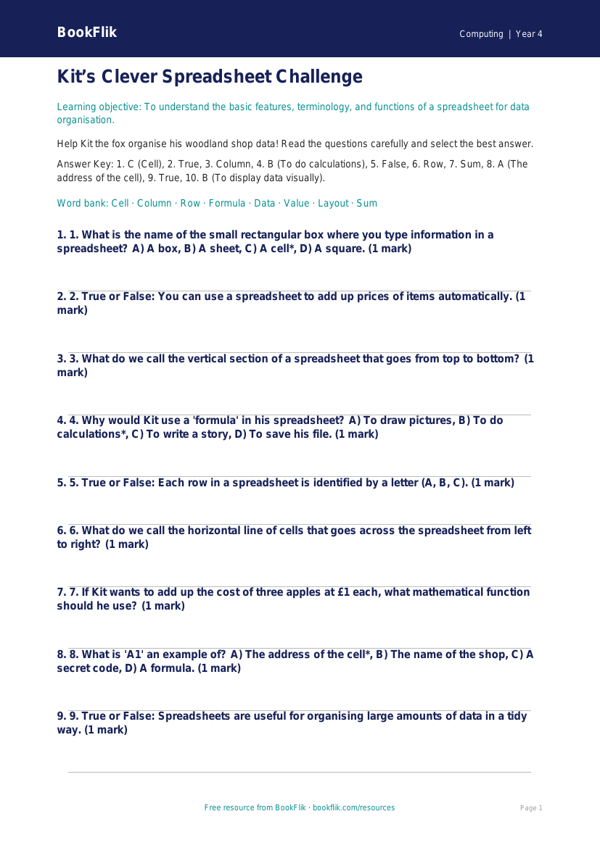
Boost your pupils’ digital literacy with our engaging Computing spreadsheets quiz year 4 core resource. Designed specifically for the UK National Curriculum, this interactive tool helps children master the foundational skills required to understand how data is organised, stored, and manipulated. As pupils work through the questions, they will learn how to identify rows, columns, and cells, and explore how formulas can be used to calculate totals automatically.
Our Computing spreadsheets quiz year 4 core is crafted to build confidence in young learners as they navigate digital workspaces. By using Max the monkey as a guide, students will discover that spreadsheets are simply clever puzzles waiting to be solved. This resource is perfect for teachers to use as a quick formative assessment at the end of a computing unit or as a fun, practical homework task to reinforce classroom learning.
The questions are mapped directly to the Year 4 curriculum requirements, ensuring that students can explain the purpose of a spreadsheet and apply their knowledge to solve real-world problems. Whether they are calculating the cost of items at a school fair using pounds and pence or organising information into a clear table, this material provides the perfect level of challenge for learners working at the expected standard.
Teachers can easily integrate this Computing spreadsheets quiz year 4 core into their lesson plans to track pupil progress and identify areas that may require further instruction. The content is entirely original, featuring our friendly BookFlik characters to keep students motivated and focused. With a mix of recall questions, logical reasoning puzzles, and practical application tasks, this resource ensures that every child feels supported while developing their technical skills. Download this free, high-quality content today to provide your Year 4 class with a comprehensive and enjoyable introduction to the world of data and digital organisation.
Preview the worksheet
If the preview does not load, open the PDF in a new tab.