
Free Cooking Nutrition Quiz | Year 4 Supported | BookFlik
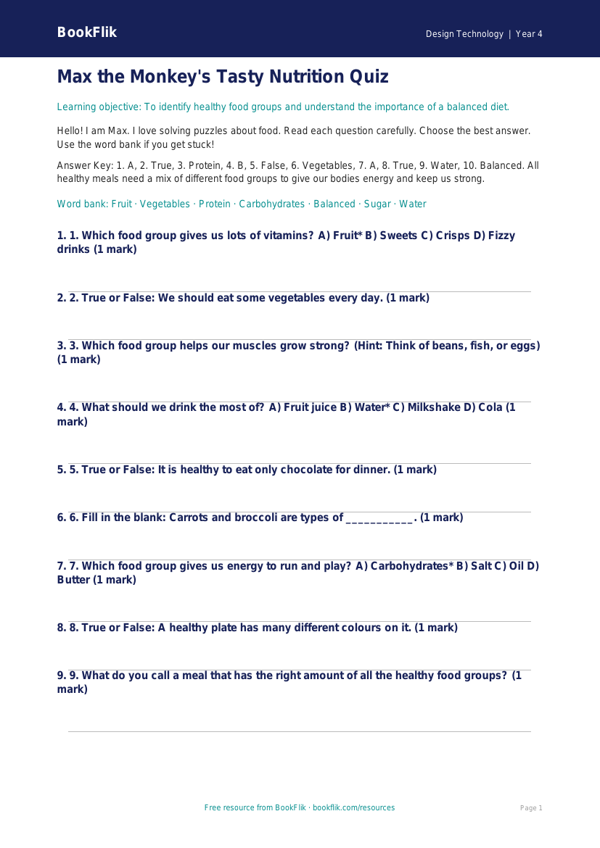
Boost your classroom learning with our exciting new resource. This Design Technology cooking nutrition quiz year 4 supported pack is designed to help children understand healthy eating and food preparation. Perfect for teachers looking to support learners who need extra help, this resource breaks down complex topics into simple, manageable steps.
What will children learn?
Pupils will explore the different food groups, learn how to build a balanced plate, and discover the importance of healthy ingredients. By using this Design Technology cooking nutrition quiz year 4 supported, children will gain confidence in identifying healthy snacks and understanding why our bodies need a variety of nutrients to grow and stay strong.
How can teachers use it?
This resource is ideal for whole-class lessons, small group interventions, or independent practice. It aligns perfectly with the UK National Curriculum for Design Technology, which expects Year 4 students to understand how to prepare dishes and the principles of a healthy, varied diet. The quiz features clear, visual answer frames and short, simple sentences to ensure every child can participate successfully.
Why choose this differentiated resource?
We know that every classroom has diverse needs. This Design Technology cooking nutrition quiz year 4 supported is specifically crafted for students who need extra scaffolding. It includes a helpful word bank, simplified vocabulary, and clear instructions to reduce cognitive load. Whether you are introducing a new unit on cooking or reinforcing key concepts, these materials provide the structure needed for all learners to shine.
Download this free resource today to help your Year 4 students master the basics of nutrition in a fun and encouraging way. With our supported approach, you can ensure that every child feels proud of their progress while meeting essential curriculum standards. Build healthy habits and academic confidence with this essential classroom tool.
Preview the worksheet
If the preview does not load, open the PDF in a new tab.