
Free Food Hygiene Activity Sheet | Year 4 Supported | BookFlik
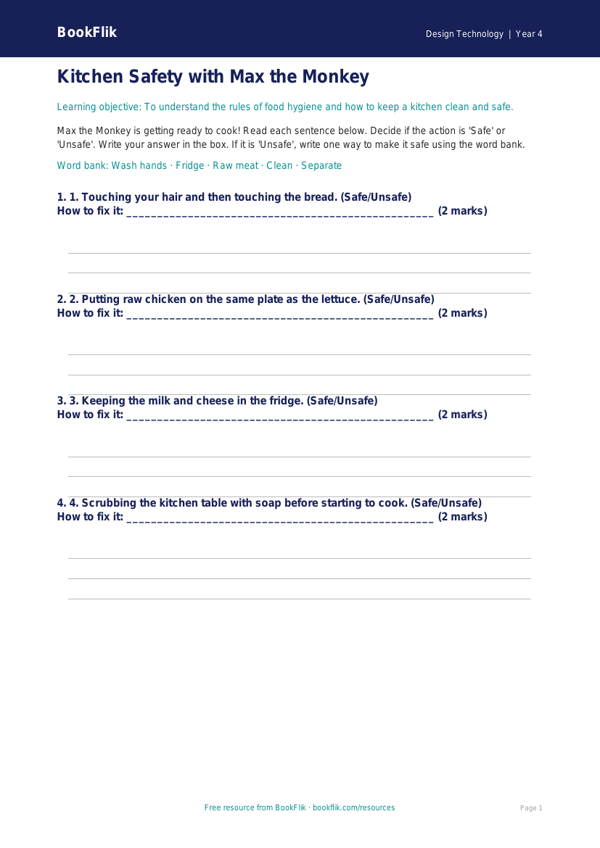
Make your next Design Technology lesson simple and effective with our new Design Technology food hygiene activity sheet year 4 supported resource. Designed specifically for Year 4 pupils who require extra scaffolding, this printable worksheet helps children understand the vital basics of kitchen safety and food preparation.
As part of the UK National Curriculum for Design Technology, children are expected to learn about food preparation and the importance of hygiene. This activity sheet introduces these concepts through clear, short sentences and visual cues. Our friendly character, Bea the honeybee, guides the children through the worksheet, ensuring the learning experience feels warm, encouraging, and accessible.
This Design Technology food hygiene activity sheet year 4 supported resource is perfect for teachers looking to differentiate their lessons. The content is broken down into four short, structured questions. We have included a helpful word bank at the bottom of the page to build confidence and support vocabulary development. The tasks focus on core safety habits, such as washing hands, keeping surfaces clean, and storing food at the right temperature.
Teachers can use this sheet as an independent task during a practical cooking session or as a recap activity after a class demonstration. Because it uses simplified language and clear answer frames, it is ideal for pupils who need extra support to engage with the curriculum. By using this Design Technology food hygiene activity sheet year 4 supported material, you can ensure that every child in your classroom understands how to stay safe while preparing food.
Download this free resource today to help your students master essential kitchen safety skills. It is an excellent way to teach the foundations of healthy eating and food hygiene in a way that is fun, inclusive, and perfectly aligned with Year 4 expectations. Help your pupils grow in confidence as they learn to be safe, hygienic cooks!
Preview the worksheet
If the preview does not load, open the PDF in a new tab.