
Free Healthy Meals Assessment | Year 4 Supported | BookFlik
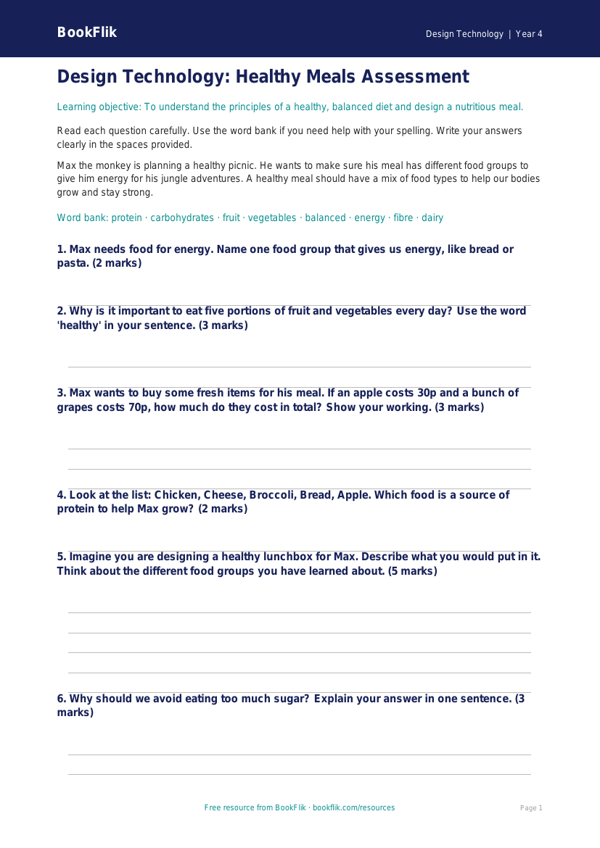
Are you looking for a simple way to track your pupils’ progress in the kitchen? Our new Design Technology healthy meals assessment year 4 supported resource is perfect for your classroom. Designed specifically for learners who require extra scaffolding, this assessment helps children demonstrate their understanding of nutrition and food preparation in a way that builds confidence and success.
This resource aligns with the UK National Curriculum requirements for Design Technology, focusing on understanding the principles of a healthy and varied diet. By using this Design Technology healthy meals assessment year 4 supported, students will explore the Eatwell Guide, learn how to categorise different food groups, and begin to understand how to prepare simple, nutritious dishes.
The resource features our friendly character, Bea the honeybee, who guides students through each task. To ensure all learners can participate, the assessment uses short, clear sentences and simple vocabulary. Every question includes visual cues and sentence starters to help children express their ideas clearly. We have included a helpful word bank at the bottom of the page to support spelling and vocabulary recall.
Teachers can use this Design Technology healthy meals assessment year 4 supported as a baseline check at the start of a unit or as an end-of-topic review. Because the questions are broken down into manageable, structured steps, it is ideal for pupils who find traditional written assessments overwhelming. Whether you are working in small groups or providing one-to-one support, this resource provides the necessary structure for every child to shine.
Download this free, inclusive assessment today to help your Year 4 students master the basics of healthy eating while meeting key curriculum standards. With its warm, encouraging tone and accessible format, it is a fantastic addition to your primary school teaching toolkit. Help your class explore healthy choices with ease and joy.
Preview the worksheet
If the preview does not load, open the PDF in a new tab.