
Free Apostrophes Practice Worksheet | Year 3 Grammar | BookFlik
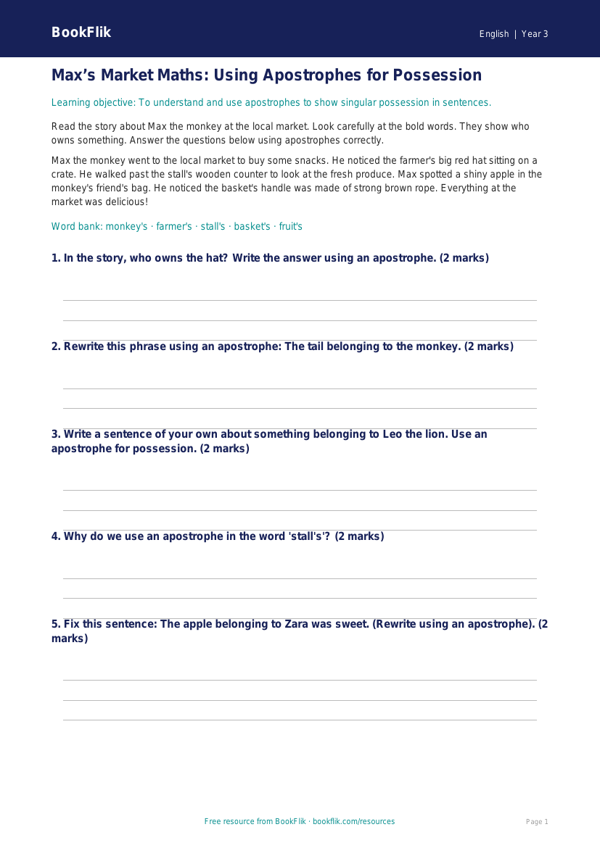
Boost your primary classroom’s grammar confidence with our free English apostrophes track sheet year 3 core resource. Designed specifically for Year 3 learners, this printable tool provides a structured way for pupils to master the two primary uses of apostrophes: for possession and for omission in contractions. By focusing on these essential skills, children will develop the precision needed to improve their creative writing and formal composition.
Our English apostrophes track sheet year 3 core is fully aligned with the UK National Curriculum, which requires Year 3 students to demonstrate an understanding of how to place apostrophes correctly to show possession and to mark where letters have been omitted in words like cant, dont, and wasnt. This resource provides a logical progression, starting with simple identification tasks before moving to application exercises where students must rewrite sentences to include the correct punctuation.
Teachers can use this sheet as a formative assessment tool, a quick starter activity, or as part of a focused grammar intervention group. The clear layout allows practitioners to track individual progress throughout the term, ensuring that every child meets the expected standard for their age group. Because this English apostrophes track sheet year 3 core is differentiated at the core level, it offers the perfect balance of support and challenge for students working at the expected level.
Included in this pack are seven varied questions, ranging from recall-based tasks to application-based challenges. Students will learn to distinguish between plural nouns and possessive nouns, a common hurdle for this age group. With clear instructions and space for pupils to show their working, this resource makes teaching punctuation simple and effective. Download this essential grammar aid today to help your Year 3 class gain mastery over apostrophes and bring clarity to their written work across the entire curriculum.
Preview the worksheet
If the preview does not load, open the PDF in a new tab.