
Free Paragraphs Track Sheet | Year 6 Core | BookFlik
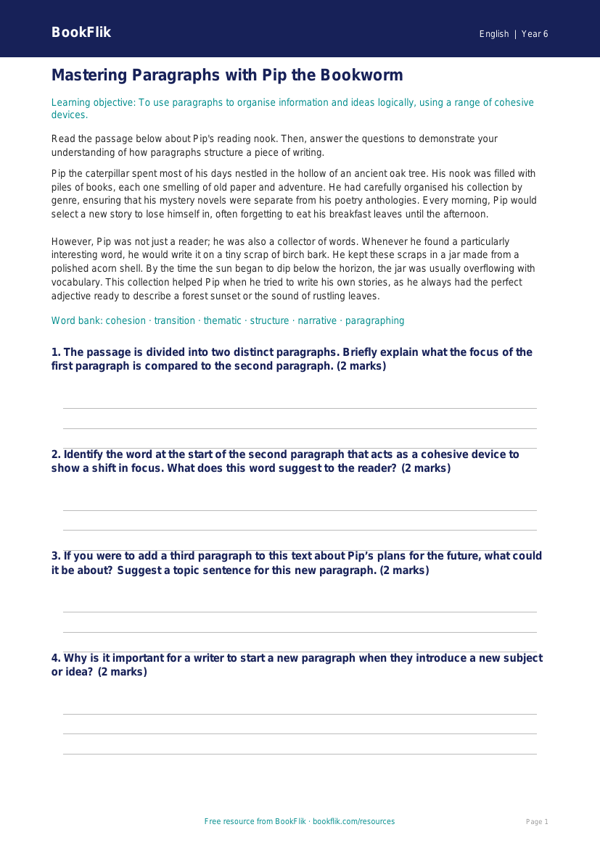
Boost your classroom literacy sessions with our comprehensive English paragraphs track sheet year 6 core resource. Designed specifically to support pupils working at the expected standard, this printable tool helps children master the art of structured writing. As students progress through Year 6, moving from simple sentences to cohesive, multi-paragraph texts is a vital skill. This English paragraphs track sheet year 6 core allows learners to monitor their ability to organise ideas, use cohesive devices, and maintain a consistent tone throughout their compositions.
Aligned with the UK National Curriculum, this resource focuses on helping students understand how to use paragraphs to signal shifts in time, place, or topic. By using this English paragraphs track sheet year 6 core, teachers can easily track individual progress, identify common misconceptions, and provide targeted feedback during writing workshops. Whether your class is writing a historical recount inspired by Ellie the elephant or a creative story about an adventure with Leo the lion, this sheet ensures every paragraph serves a clear purpose.
The resource includes a range of tasks tailored for the expected standard. Children will learn to identify paragraph breaks in existing texts, plan their own structured writing, and review their work to ensure smooth transitions between ideas. The track sheet is designed to be user-friendly for both teachers and pupils, providing a clear visual representation of development across a term.
Inside the download, you will find five to seven engaging questions and activities. These range from recall tasks, such as defining the purpose of a paragraph, to application exercises where children must rewrite a jumbled text into a logical sequence. With a focus on clarity and flow, this resource empowers Year 6 learners to write with confidence and precision. Download this essential tool today to help your students reach their full potential in English writing and structure.
Preview the worksheet
If the preview does not load, open the PDF in a new tab.