
Free Fractions Track Sheet | Year 4 Supported | BookFlik
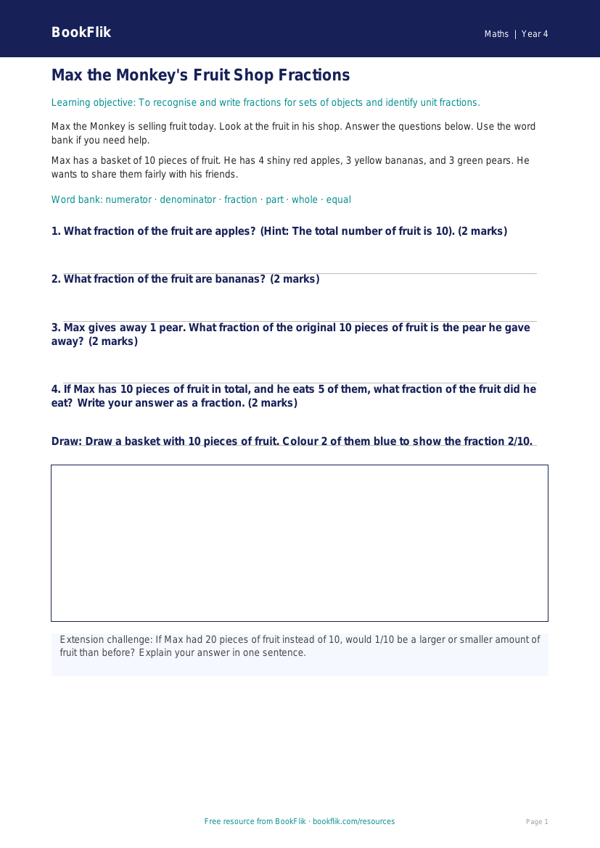
Boost your pupils’ confidence with our free Maths fractions track sheet year 4 supported resource. Designed specifically for learners who need extra scaffolding, this track sheet helps children master the basics of fractions of quantities and unit fractions.
This resource is perfect for Year 4 classrooms following the UK National Curriculum. It focuses on the core requirements of recognising, finding, and writing fractions of a discrete set of objects. By using a clear, visual grid system, students can build their understanding of how to divide amounts into equal parts. Because this is a Maths fractions track sheet year 4 supported version, we have used simple vocabulary and short, manageable sentences to ensure all children feel successful.
Teachers can use this sheet during small group interventions or as a guided task for pupils who find standard worksheets overwhelming. The document includes helpful sentence starters and a dedicated word bank at the bottom of the page to support spelling and mathematical terminology. Each section is broken down into small, achievable steps, allowing children to track their own progress as they work through the questions.
By incorporating this Maths fractions track sheet year 4 supported tool into your lessons, you provide a clear pathway for students to develop their fluency. The layout is clean and uncluttered, reducing cognitive load and helping pupils focus on the calculation at hand. Whether you are teaching fractions of amounts using money in pounds and pence or identifying fractions of shapes, this resource provides the perfect structure for inclusive learning.
Download this free, printer-friendly resource today to help your Year 4 students achieve their learning goals. It is a fantastic way to bridge gaps in knowledge and ensure every child feels positive about their maths journey. This track sheet is an essential addition to any teacher’s toolkit for building foundational fraction skills with ease and clarity.
Preview the worksheet
If the preview does not load, open the PDF in a new tab.