
Free Geometry Template | Year 4 Supported | BookFlik
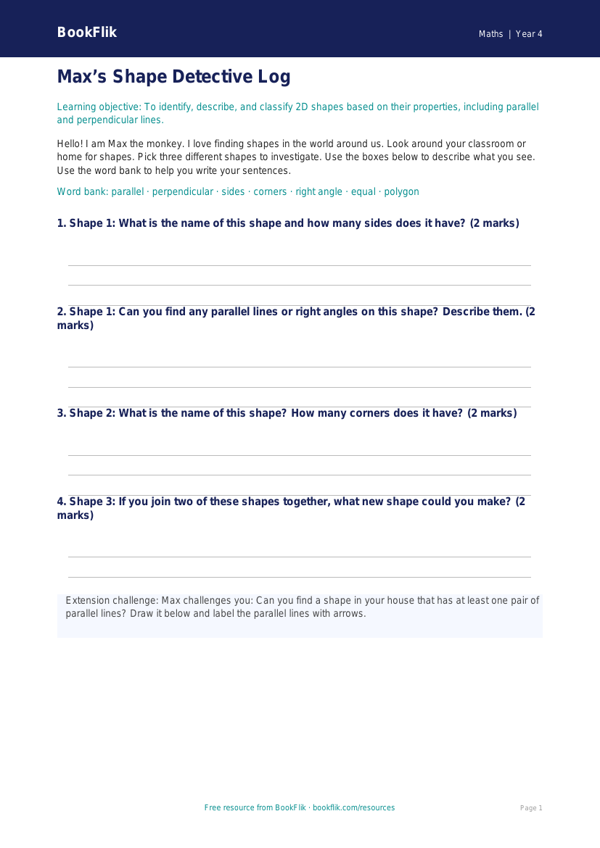
Help your students master shapes with our free Maths geometry template year 4 supported resource. This teacher-designed worksheet is perfect for children who need extra help to build confidence with 2D and 3D shapes.
Our Maths geometry template year 4 supported pack focuses on identifying, comparing, and sorting shapes. Following the UK National Curriculum, students will learn to identify lines of symmetry in 2D shapes and recognise 3D forms in everyday objects. By using these simple, structured activities, children can develop their understanding of geometric properties without feeling overwhelmed by complex tasks.
This resource is specifically tailored for learners who require extra support. We have used short, clear sentences and simplified vocabulary to ensure every child can succeed. Each page includes helpful sentence starters, visual cues, and a dedicated word bank to assist with spelling and definitions. The worksheet contains five structured questions with clear answer frames, making it easy for pupils to show their work step-by-step.
Teachers can use this Maths geometry template year 4 supported resource in small group interventions, as a guided practice task, or as a gentle homework assignment. It is designed to be inclusive, allowing children to progress at their own pace while meeting the core requirements for Year 4 geometry. Whether your class is learning about vertices, edges, or symmetry, this template provides the perfect framework for success.
Our characters, including Max the maths-loving monkey, guide the children through the activities with encouragement and warmth. This makes learning feel like an adventure rather than a chore. Download this high-quality, classroom-ready resource today to support your learners in achieving their maths goals. It is a fantastic addition to your toolkit for teaching essential geometric concepts in a way that is accessible, engaging, and perfectly aligned with the UK curriculum requirements for Year 4 pupils.
Preview the worksheet
If the preview does not load, open the PDF in a new tab.