
Free States Of Matter Activity Sheet | Year 4 Science | BookFlik
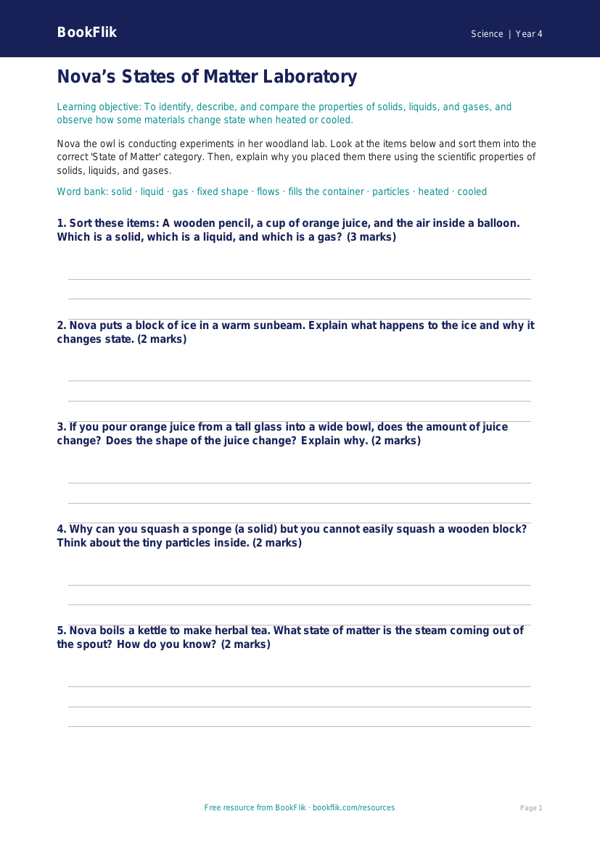
Unlock the wonders of the natural world with our engaging Science states of matter activity sheet year 4 core resource. Designed specifically for Year 4 pupils, this printable worksheet helps children explore the fascinating differences between solids, liquids, and gases. Through the eyes of our friendly character Bea the honeybee, students will investigate how particles behave in different environments and learn to classify everyday objects by their physical properties.
This Science states of matter activity sheet year 4 core provides a structured learning experience that aligns perfectly with the UK National Curriculum. Pupils will practise identifying key characteristics, such as how liquids take the shape of their container while solids maintain a fixed shape. The resource includes five to seven carefully crafted questions, ranging from simple recall of scientific vocabulary to the application of knowledge in real-world scenarios. By using this Science states of matter activity sheet year 4 core, teachers can easily assess student understanding of freezing, melting, and evaporation processes in a fun and accessible way.
Whether you are introducing the topic for the first time or using it as a recap exercise, this material is ideal for classroom use or home learning. The content is pitched at the expected standard for Year 4 learners, ensuring that the vocabulary is challenging yet achievable. Teachers can use this resource to spark lively class discussions about the environment, while the clear, logical flow makes it perfect for independent work during science lessons. We have ensured that the layout is clean, encouraging, and free from distractions, allowing children to focus entirely on the scientific concepts. Download this essential teaching tool today to support your pupils in building a solid foundation in chemistry and physical science. Your students will love learning about the hidden world of molecules with Bea the honeybee as their guide.
Preview the worksheet
If the preview does not load, open the PDF in a new tab.