
Free Healthy Meals Worksheet | Grade 3 | Design Technology | BookFlik
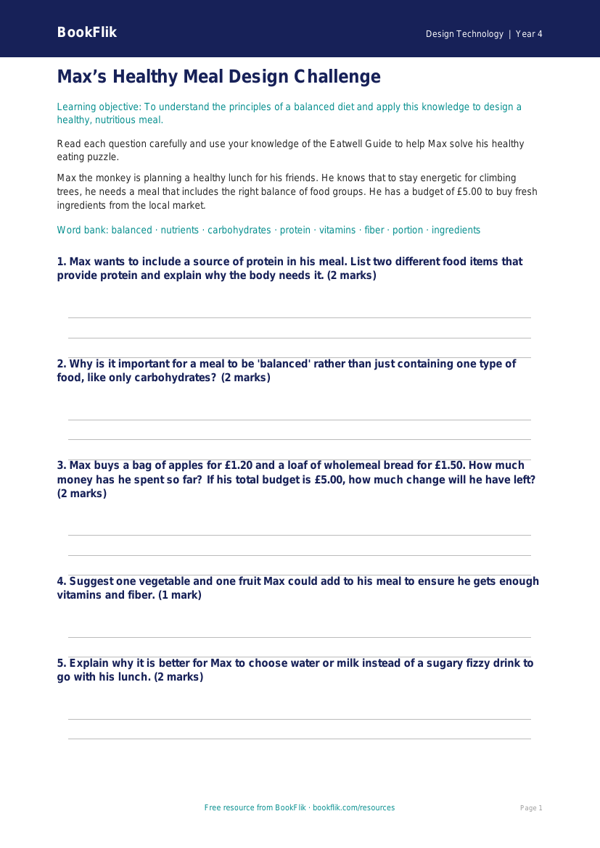
Boost your classroom lessons with our engaging Design Technology healthy meals worksheet year 4 core resource. Designed specifically for Grade 3 learners, this printable activity helps children understand the importance of a balanced diet while developing their food preparation and design skills. As pupils explore the principles of healthy eating, they will learn how to categorize different food groups and why variety is essential for a growing body.
This Design Technology healthy meals worksheet year 4 core is fully aligned with the Common Core State Standards, which requires students to understand seasonality and know how to prepare and cook a variety of predominantly savoury dishes using a range of cooking techniques. By using this resource, teachers can guide their class through the process of menu planning, encouraging them to think about nutritional value, color, and texture when designing a balanced meal.
Our materials feature the friendly BookFlik character Max the monkey, who loves to turn healthy eating into a fun math puzzle. Max helps children calculate the cost of ingredients in dollars and cents, ensuring they consider budget alongside nutrition. This provides a fantastic cross-curricular link between Design Technology and Math.
Teachers can use this sheet as an independent task, a group discussion starter, or as a foundational planning document before a practical cooking session. The content is pitched at the expected standard, ensuring it provides the right level of challenge for your Grade 3 students. Whether you are teaching a unit on nutrition or planning a creative food design project, this Design Technology healthy meals worksheet year 4 core is the perfect addition to your lesson plan. Help your students become confident, healthy cooks who understand exactly what goes onto their plates. Download this free, high-quality resource today to bring essential life skills and creative design thinking into your Grade 3 classroom.
Preview the worksheet
If the preview does not load, open the PDF in a new tab.