
Free Apostrophes Quiz | Grade 3 | ELA | BookFlik
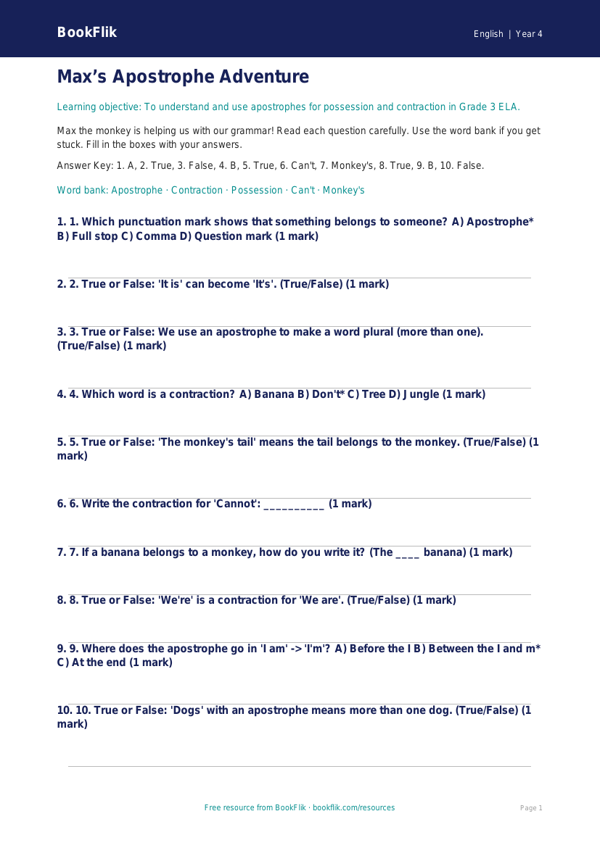
Boost your classroom confidence with our new ELA apostrophes quiz year 4 supported resource. Designed specifically for learners who need extra scaffolding, this free activity helps children master the tricky rules of punctuation while building their literacy skills.
In the Common Core State Standards for Grade 3, pupils are expected to use apostrophes to mark possession and omission. This resource focuses on these core concepts through simple, manageable steps. By using an ELA apostrophes quiz year 4 supported format, we ensure that children feel encouraged rather than overwhelmed. The content features Max the monkey, who loves to solve math puzzles, helping children identify where the apostrophes belong in short, clear sentences.
This worksheet is perfect for teachers looking for high-quality differentiation. It is designed for students who require extra support, using shorter sentences, visual cues, and a helpful word bank to guide them through each question. You can use this resource as a quick morning starter, a focused small-group activity, or as an intervention tool to boost confidence for those struggling with grammar.
By using this ELA apostrophes quiz year 4 supported material, you are providing students with the structure they need to succeed. Each question includes an answer frame, making it easy for children to track their progress and feel proud of their learning. Because we know that every learner has different needs, this resource removes the pressure of complex instructions, allowing pupils to focus entirely on the placement of the apostrophe.
Download this free, teacher-created resource today to support your Grade 3 class. It is fully aligned with the Common Core State Standards and provides a warm, positive way to practice essential punctuation skills. Give your students the tools they need to write with clarity and accuracy, ensuring they feel supported every step of the way as they learn to use apostrophes correctly in their own writing.
Preview the worksheet
If the preview does not load, open the PDF in a new tab.