
Free Earthquakes Writing Frame | Grade 3 | Geography | BookFlik
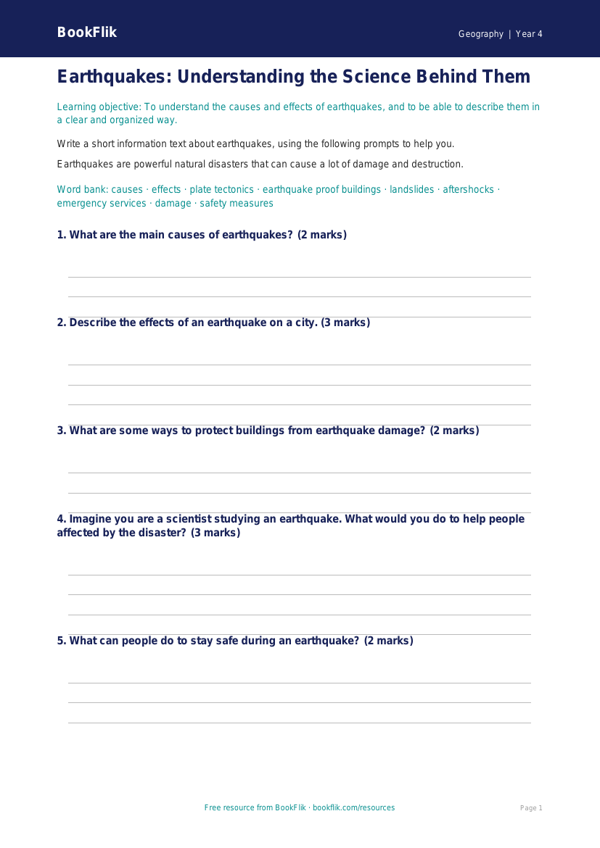
Free Geography Earthquakes Writing Frame for Grade 3 Core Learners
Develop your pupils’ understanding of earthquakes with this comprehensive Geography writing frame, designed for Grade 3 core learners in the Common Core State Standards. This resource is an essential tool for teachers to help their students effectively recall and demonstrate their knowledge of this complex topic.
By using this writing frame, children will learn to:
* Describe the causes and effects of earthquakes
* Explain how earthquakes are measured on the Richter scale
* Identify the different types of earthquakes
* Discuss how people prepare for and respond to earthquakes
* Record their findings in a clear and concise manner
This Geography earthquakes writing frame year 4 core resource is tailored to meet the needs of learners working at the expected standard in Grade 3. The writing frame includes space for pupils to illustrate their answers, making it an engaging and interactive learning experience.
Teachers can adapt this resource to suit their teaching style and the needs of their pupils. The writing frame is divided into clear sections, allowing children to demonstrate their knowledge and understanding of earthquakes in a structured and organized way.
This writing frame meets the requirements of the Common Core State Standards for Geography earthquakes, providing a valuable learning tool for Grade 3 core learners. By using this resource, teachers can ensure that their pupils are well-prepared for assessments and develop a deep understanding of this important topic.
Key features of this resource include:
* Clear and concise writing frame for Grade 3 core learners
* Space for pupils to illustrate their answers
* Adaptable for different teaching styles and pupil needs
* Meets the requirements of the Common Core State Standards for Geography earthquakes
* Differentiated for learners working at the expected standard in Grade 3
Preview the worksheet
If the preview does not load, open the PDF in a new tab.