
Free Area And Perimeter Word Mat | Grade 3 | Math | BookFlik
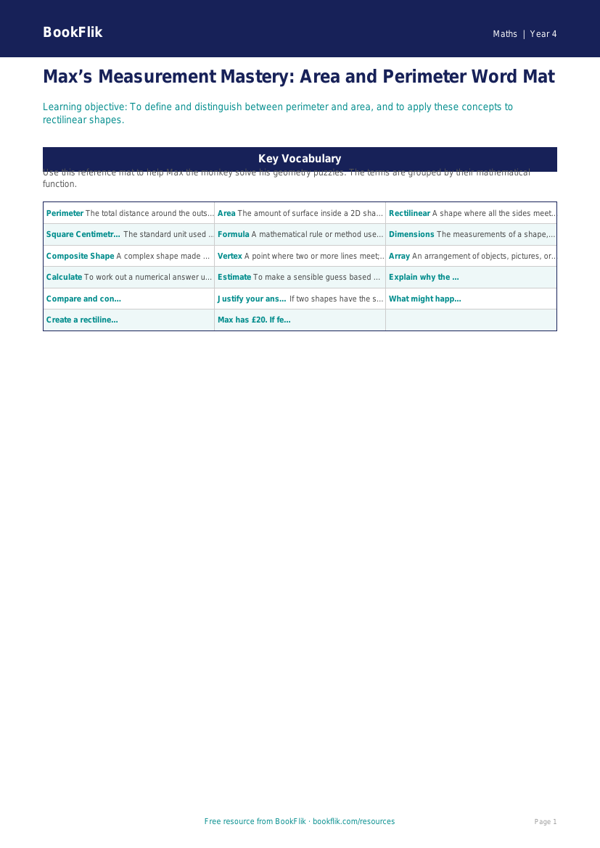
Boost your classroom resources with our comprehensive Math area and perimeter word mat year 4 greater depth. Designed specifically for ambitious learners in Elementary, this high-quality educational tool supports pupils as they master complex geometric concepts. This resource aligns perfectly with the Common Core State Standards, helping children develop a fluent understanding of calculating the area and perimeter of rectilinear shapes.
By using this Math area and perimeter word mat year 4 greater depth, students will move beyond basic calculations. They will explore how to derive the area of composite shapes by partitioning them into rectangles and understand the relationship between a fixed perimeter and varying area. The mat includes essential vocabulary such as rectilinear, composite, dimensions, and spatial reasoning, ensuring pupils can articulate their mathematical thinking with precision.
Teachers can utilise this resource during guided group sessions or as a permanent reference point on student desks to encourage independent problem-solving. Because this is a Math area and perimeter word mat year 4 greater depth, the content goes further than standard recall. It challenges gifted and talented learners to apply their knowledge to abstract scenarios.
Included are eight thought-provoking extension tasks designed to stretch young minds:
1. Explain why two rectangles with the same perimeter do not necessarily have the same area.
2. Compare and contrast the methods used to calculate the perimeter of an L-shaped polygon versus a rectangle.
3. Justify your answer: If a square’s side length is doubled, what happens to its perimeter? What happens to its area?
4. What might happen if you were asked to design a garden with a fixed perimeter of 20 metres? How many different areas could you create?
5. Prove that a rectilinear shape with a perimeter of 16cm can have an area of 12cm squared.
6. Create your own complex shape on squared paper and calculate its total area using two different methods.
Preview the worksheet
If the preview does not load, open the PDF in a new tab.