
Time Worksheet | Grade 3 Math | Free Printable | BookFlik
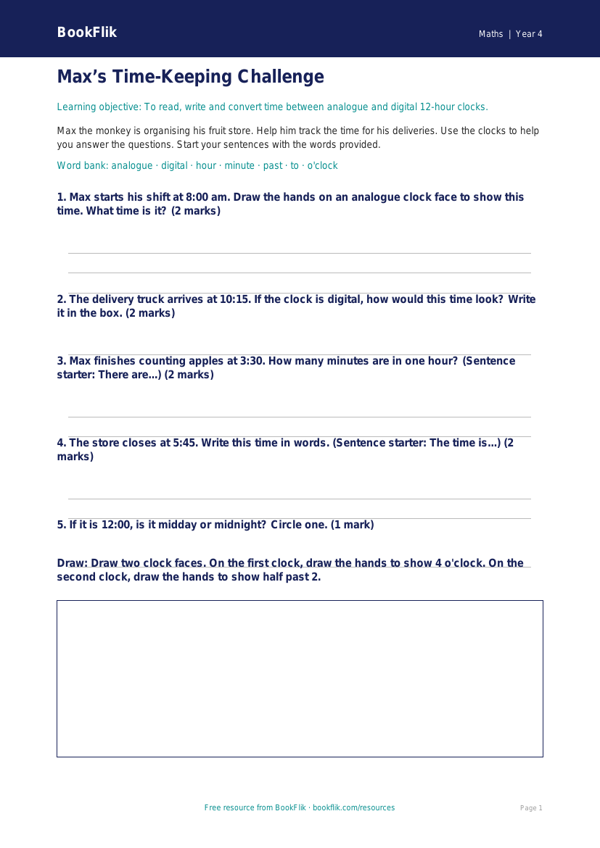
Help your pupils master the clock with our free Math time worksheet year 4 supported resource. Designed specifically for Grade 3 students who need extra scaffolding, this activity pack focuses on telling the time to the nearest minute, a key requirement of the Common Core State Standards.
This Math time worksheet year 4 supported resource features Max the monkey, who loves to turn every daily task into a fun math puzzle. Max helps children practice reading both analogue and digital clocks. By breaking down the hours and minutes into manageable chunks, the worksheet builds confidence in learners who find traditional time-telling tasks tricky.
Teachers can use this resource during starter activities, as a targeted intervention for small groups, or as a gentle homework task. The content is carefully differentiated to ensure accessibility. We have used short, simple sentences, clear visual cues, and helpful sentence starters to guide children through each problem. Each question provides a structured answer frame, ensuring students feel supported rather than overwhelmed as they work through the five focused activities.
By using this Math time worksheet year 4 supported pack, your class will gain a solid understanding of how to convert between 12-hour and 24-hour clocks, and how to calculate durations of time. The resource includes a handy word bank at the bottom to help children with key mathematical vocabulary, such as ‘past’, ‘to’, ‘duration’, and ‘interval’.
This printable resource is ready to use in your classroom immediately. It aligns perfectly with the Grade 3 math curriculum goals for measurement and time. Whether you are teaching a whole class or supporting individual learners, this resource provides the perfect balance of fun character-led storytelling and essential skill-building. Download today to give your pupils the boost they need to become confident, independent time-tellers.
Word Bank:
Clock, Hour, Minute, Past, To, Duration, Digital, Analogue.
Preview the worksheet
If the preview does not load, open the PDF in a new tab.