
Free E-Safety Worksheet for Year 3 | Printable Lesson Template | BookFlik
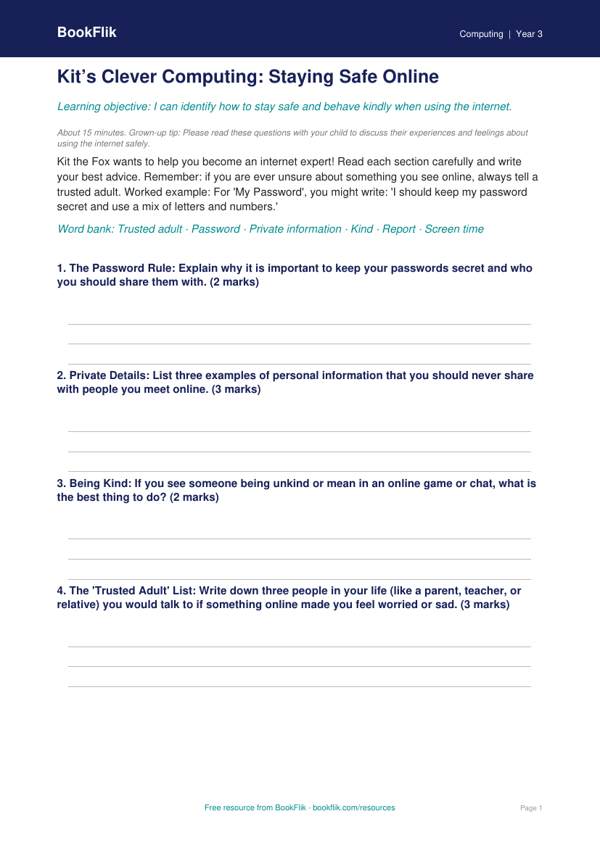
Keep your pupils safe online with our brand new Computing e safety template year 3 core resource. Designed specifically for the UK National Curriculum, this pack helps children aged seven to eight understand how to navigate the digital world with confidence and care.
In this lesson, Kit the fox leads the way as students explore the importance of keeping personal information private. The Computing e safety template year 3 core teaches pupils how to identify secure websites, recognise the signs of unkind behaviour online, and understand why they should always talk to a trusted adult if something feels wrong. Through engaging scenarios featuring familiar characters like Amira and Oliver, children learn to make sensible choices when using tablets or computers at home and in the classroom.
Teachers can use this Computing e safety template year 3 core to structure a full lesson, including interactive discussion prompts and a checklist for staying safe. Parents will also find it useful for starting calm, open conversations about screen time and online friendships. The content is fully aligned with the Key Stage 2 computing programme of study, ensuring that your class meets the expected standards for internet safety.
We have included five to seven differentiated questions, ranging from simple recall to real-world application, ensuring every child feels supported. For those who finish early, there is a creative extension task where they can design their own digital safety poster. This resource uses British English throughout, with clear, age-appropriate language that avoids complex jargon.
Whether you are teaching in a village school or a busy city centre, this guide provides a consistent and warm approach to a vital topic. Download this free pack today to help your pupils build the digital resilience they need for the modern world. It is the perfect addition to your computing toolkit for the autumn or spring term.
How to use this template
- Time: about 15 minutes
- At home: Please read these questions with your child to discuss their experiences and feelings about using the internet safely.
- In the classroom: Encourage pupils to share their ‘Trusted Adult’ list with a partner to reinforce the importance of support networks.
Preview the worksheet
If the preview does not load, open the PDF in a new tab.