
Free Instructions Worksheet | Year 6 Core | BookFlik
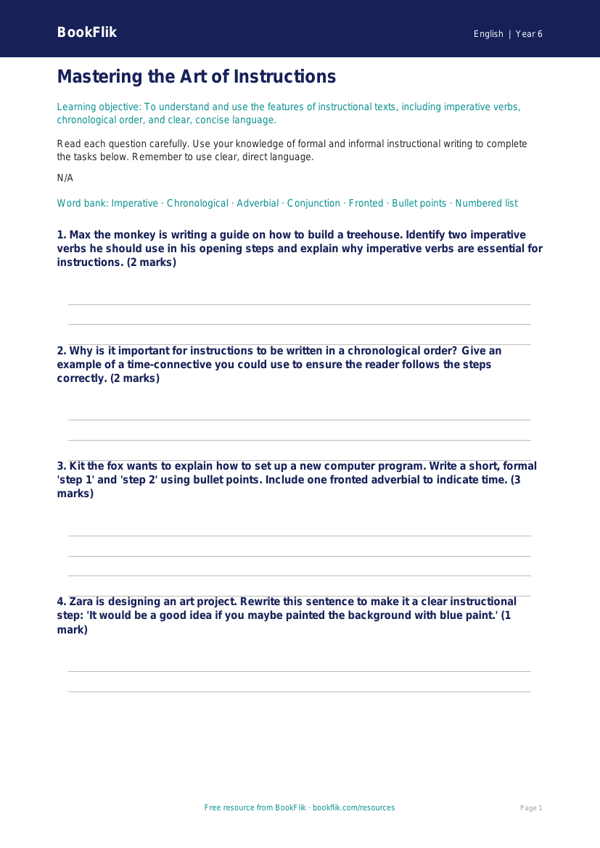
Boost your classroom resources with our expertly crafted English instructions worksheet year 6 core. Designed specifically for Year 6 pupils, this resource focuses on the essential skills required to write clear, cohesive, and precise instructional texts. Whether your students are explaining how to bake a cake or how to build a shelter, this worksheet provides the perfect framework to master imperative verbs, fronted adverbials, and logical sequencing.
Our English instructions worksheet year 6 core is fully aligned with the UK National Curriculum for upper key stage 2. It encourages children to consider their audience and purpose, ensuring they use formal language and technical vocabulary where appropriate. By following the adventures of Max the monkey, who loves to organise his tasks into logical steps, children will learn how to structure their writing using subheadings, bullet points, and numbered lists to guide the reader effectively.
This resource is ideal for teachers looking for a ready-to-use lesson component that requires zero preparation. You can use this English instructions worksheet year 6 core as a guided writing activity, an independent assessment, or even as a homework task to reinforce classroom learning. The content is pitched at the expected standard for Year 6, ensuring that learners are challenged appropriately while building confidence in their technical writing abilities.
Inside, you will find five to seven engaging questions that move from simple recall of instructional features to the application of these skills in creative scenarios. The worksheet includes helpful checklists to help students self-edit their work, fostering independence and a critical eye for detail. Download this resource today to provide your Year 6 class with a structured, engaging, and curriculum-linked approach to writing instructions. With clear examples and supportive prompts, your students will be writing professional, easy-to-follow guides in no time.
Preview the worksheet
If the preview does not load, open the PDF in a new tab.